Leagues & Tournaments
Before your teams step on the court, we’re here to help you step up your game. Get started with head-to-head scheduling, scorekeeping, and more.
Features to streamline your season
SCHEDULING
Admins have the ability to schedule all games and practices. Easily add and manage game locations, times, durations, and participating teams.

SCOREKEEPING
One scorekeeper can now record plays for both teams simultaneously. This will generate a GameStream of plays, box scores, and recap stories for both teams at once.
See How It Works →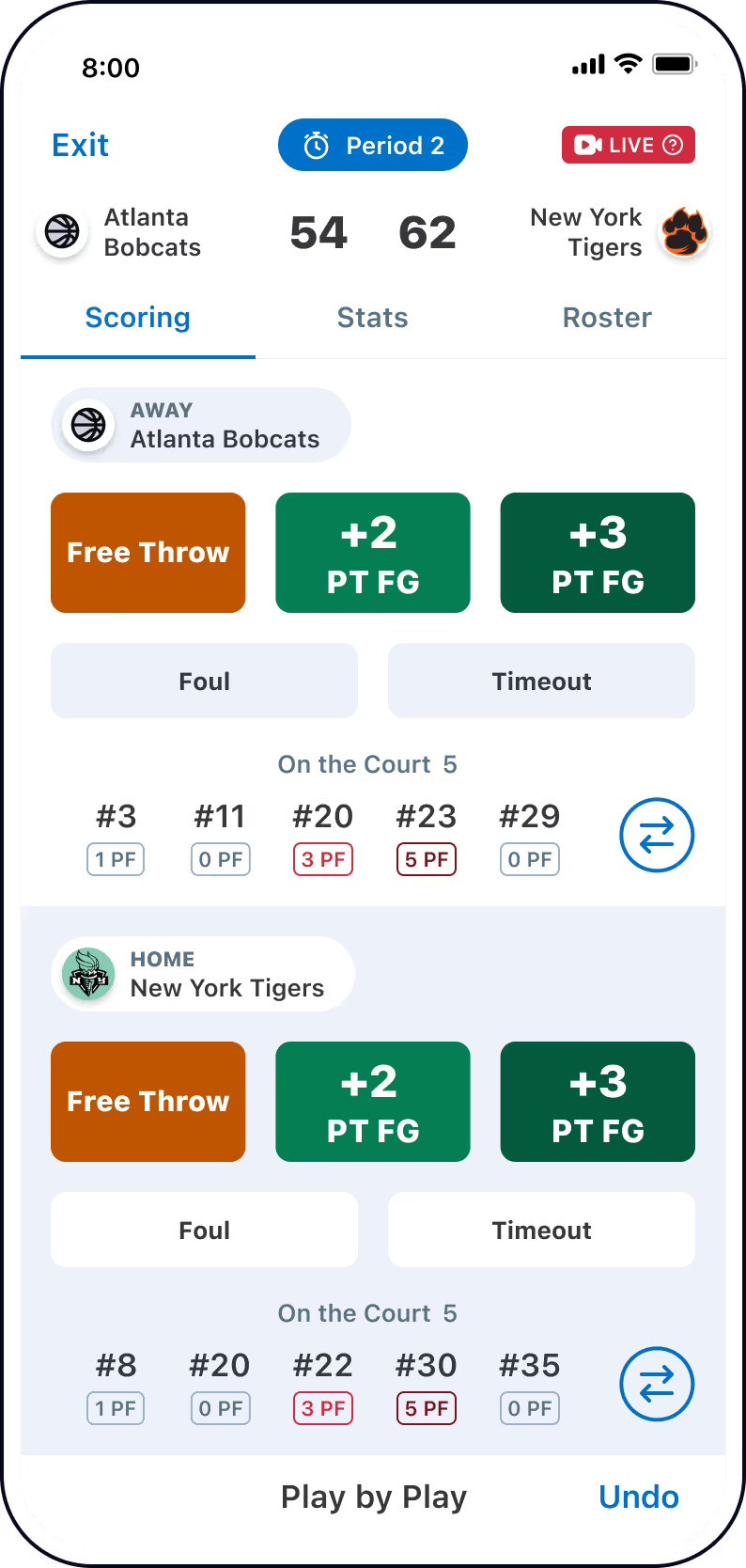
Standings
League Admins can see Wins/Losses/Ties for teams that have joined to communicate with and manage your league. Standings will update after the completion of each game.

ADD TEAMS
Teams must already be on GameChanger in order to join the league. Each team that is invited will receive a "Team Alert" that is available from their Team Alert screen accessible on the top navigation bar in the app.


interested in using gamechanger for your league or tournament?
Powerful features for all your teams
Save time and effort for every team involved by scheduling and scoring head-to-head games for both teams.

Head-to-Head (Single) Scorekeeping
A single scorekeeper can now score play-by-play events to two GameStreams simultaneously (i.e. the Home team can score for both the Home team and the Away team).
Learn more ➜interested in using gamechanger for your league or tournament?
Gathering basic information

1. Type
Designate League, Travel Org, or Tournament.

2. Sport
Select Basketball (or your league’s sport).

3. Location
Enter city and state.

4. Name
Give your league or tournament a public name.

5. Season & Dates
Select the season and dates your games will be played in (spring, summer, fall, or winter).
GameChanger Leagues & Tournaments FAQs
Find answers to frequently asked questions about GameChanger Leagues & Tournaments. Need a hand? Head to our support page for more.
Visit SupportYes. Teams must already be created on GameChanger to be added. When invited, teams will receive a Team Alert in the app where they can accept and join the league or tournament.
League or tournament admins control scheduling. They can create and manage all games and practices, including locations, dates, times, durations, and participating teams.
GameChanger allows a single Scorekeeper to record plays for both teams at the same time. This generates a GameStream of plays, box scores, and Recap Stories for both teams simultaneously.
Standings are automatically updated after each completed game. League Admins can view team records, including wins, losses, and ties, to monitor league performance.
To set up your league or tournament, you’ll need to provide:
- Type (League, Travel Org, or Tournament)
- Sport
- Location (city and state)
- Name of your league or tournament
- Season and dates
The Only App You Need This Season