the only soccer app you need
Take the season by storm with team management, live streaming, and scorekeeping in the palm of your hand!



how gamechanger
works for you
Step onto the field with confidence with the #1-rated youth sports app offering soccer team management, scorekeeping, and live streaming.

team management
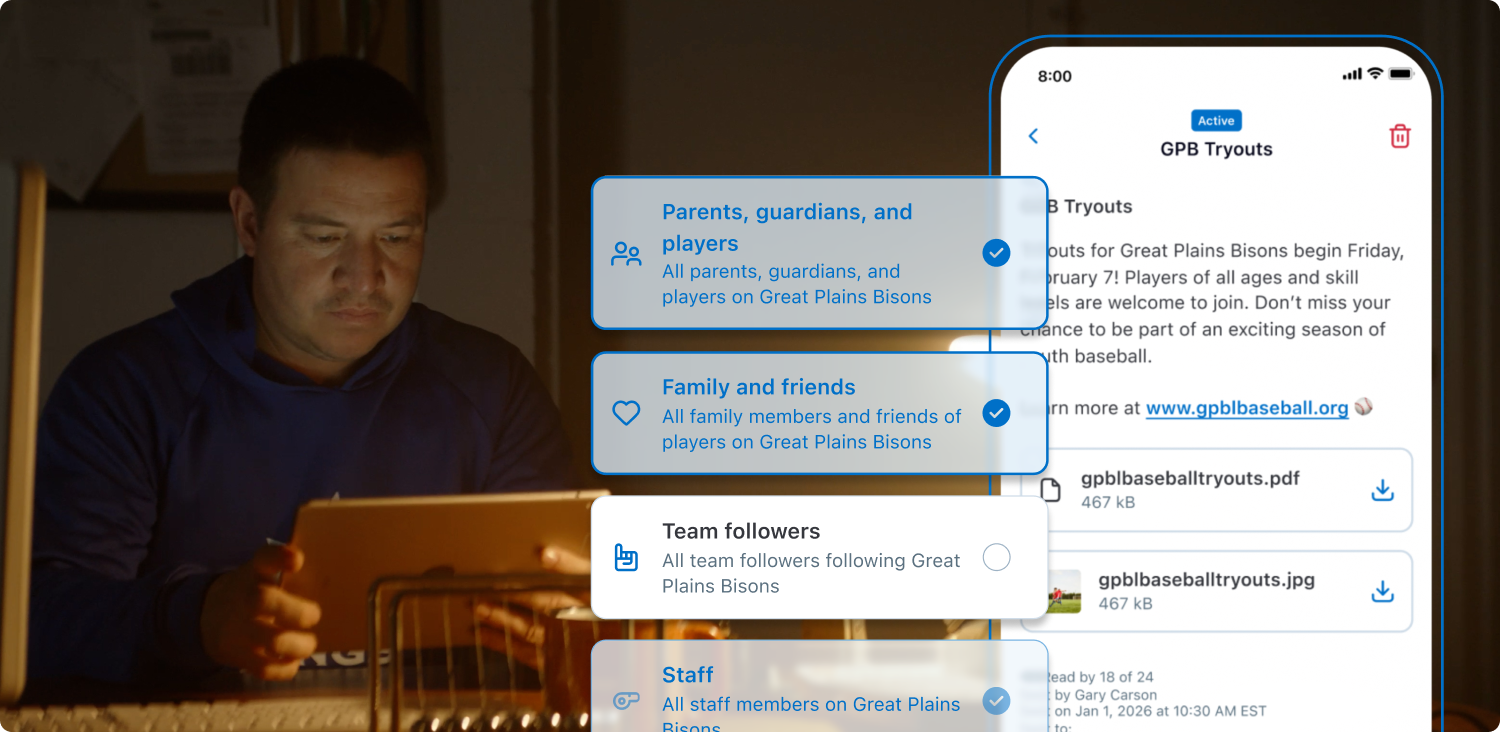
- Streamline soccer team management with messaging, event scheduling, and photo sharing all in one place.
- Save time adding players at the start of the season with roster rollover.
- Sync the season schedule to your personal calendar and include RSVP options to keep track of who can make each event.
- Import your team, roster, and game schedule from SportsConnect.

Automatic HIGHLIGHT CLIPS
- Clips of every goal are automatically generated on games that are streamed and scored.
- Share, edit, and download clips, or add them to your athlete’s customizable Athlete Profile to keep them all in one place year after year.

LIVE VIDEO STREAMING
- Easily share the on-field action with your team’s fans with live video streaming using a mobile device or external camera.
- Redirect live streams from mobile and fixed cameras into GameChanger to share the stream with your team’s fans.
- NEW! Live Stream and Record to Device: Capture full resolution video of your game that saves directly to your device if a stable internet connection is unavailable.
- Stay on top of the action with a scoreboard overlay on the video when you stream and score a game.
- Rewatch full streamed games at any time.

SCOREKEEPING
- Keep track of the game with an intuitive free soccer scorekeeping tool.
- Assign goals, saves, and missed shots to your players.
- Review game and season stats.
Dive deeper into product features with a personal demo from one of our GameChanger soccer experts.
Connect with GameChangerThe Sideline Report
Check out what’s new with GameChanger Soccer.

GameChanger Soccer FAQs
Find answers to frequently asked questions about GameChanger Soccer. Need an assist? Head to our support page for more.
Visit SupportYou can import your team, along with its roster and schedule, from Sports Connect into GameChanger. Once you select “create team” from the GameChanger App, choose the option to “Import Sports Connect.” Confirm your email address, then select the team you’d like to import.
Starting a soccer live stream is easy! All you need is a steady mobile device. Team staff or confirmed team members (on teams with streaming permissions set to confirmed members) can open the GameChanger App, head to the team’s Schedule tab, select the desired event, and then press “record video.”
GameChanger allows confirmed family and players to broadcast games live in all sports by default. Team staff are also able to designate certain community members as videographers by updating the Team Permissions from their Team tab.
The videographer can choose to allow either only family members and players (if the players are old enough to have their own account) to watch the live stream, or they can also include team fans in the audience, along with family members and players.
Now, any confirmed team member can score a game with updated scoring and streaming permissions! To score a soccer game, open the GameChanger App and select the game you’d like to score from the team’s Schedule tab. Then tap “score game” to begin scoring. You can always practice scorekeeping in the app to get more comfortable before game day.
Yes! The GameChanger App is free to download. All GameChanger features — including premium features — are completely FREE for coaches and staff to use for their team. Parents and fans can join a team and utilize team messaging, scheduling, and RSVP for free. Additional features for parents and fans, like unlimited baseball and softball live stream viewing, highlight clips, and box scores, are available with a subscription starting at $9.99 per month (or $39.99 billed annually).
Yes, all users can watch up to five baseball or softball live streams for free before being prompted to sign up for a paid subscription. Live stream viewing of other sports like basketball, volleyball, and soccer, remains completely free.
A FEW WORDS FROM OUR CHEERING SECTION

“My wife and I coach several teams in various sports (basketball, baseball, soccer, and volleyball). It works great for communication, scheduling, and keeping statistics.”
“This app helped me a lot to keep track of my son's soccer practices and games.”
“Sports apps with syncable calendars with RSVP abilities make life easier for busy families - Gamechanger is the best of 5 we have used with teams over the years. I’m always happy when coaches set up our kid’s teams in GC.”
The Only App You Need This Season