Your One-Tap App for Youth Sports
From the pitch to the pitcher’s mound, the hardwood to the ice, GameChanger is the #1-rated app for team communication, scorekeeping, and live streaming.



Youth Sports Live on GameChanger
When teams use GameChanger, families can keep track of every sport, every season, for every athlete, all from the palm of their hand.

Baseball
Keep score on GameChanger Baseball with advanced scorekeeping options, more than 150 game and season stats, batting and pitching spray charts, plus live streaming and pitch count tracking.
Explore Baseball →

Softball
Live stream games and count on GameChanger Softball’s advanced scorekeeping options, batting and pitching spray charts, and more than 150 game and season stats to get the data your team needs this season.
Explore Softball →

Basketball
Capture and review game film easily with AutoStream for basketball. Plus, try out basic or advanced scorekeeping, including opponent scorekeeping options, to get the stats your team cares about.
Explore Basketball →

Soccer
Keep track of assists, saves, goals, and missed shots with basic scorekeeping, and enjoy video clips of every goal when you live stream and score.
Explore Soccer →

Volleyball
Live stream games, track sets and serves, then re-watch full game footage with the ultimate volleyball app.
Explore Volleyball →

Football
Score the game and track individual plays, review live stream footage, and get game and season stats for insights behind the Xs and Os all season long.
Explore Football →

Lacrosse
Use GameChanger Lacrosse for basic scorekeeping, assigning goals and assists to specific team members, connecting fans to the action via live stream, and reviewing game and season stats.
Explore Lacrosse →

Hockey
Enjoy basic scorekeeping and stats with GameChanger Hockey. Plus, easily share the action on the ice with family and fans when you live stream your games.
Explore Hockey →
all other sports
Live stream, keep score, and get stats for additional team sports including field hockey, rugby, and water polo.
See More →GameChanger sports roundup
Read about the latest updates in the GameChanger sports universe.
GameChanger FAQs
Find answers to frequently asked questions about GameChanger. Need a hand? Head to our support page for more.
Visit SupportYes. The GameChanger App is free to download. All GameChanger features are completely free for Coaches and Staff to use for their team.
For families who want more, additional features for Parents/Guardians, Family Members, and Fans, like unlimited baseball and softball live stream viewing, highlight clips, and box scores are available with a monthly or annual subscription starting as low as $3.33/month. See subscriptions.
Yes. All users can watch up to five baseball or softball live streams for free. Once complete, upgrading to Plus, Premium, Family Plan, or Team Pass will continue to give you access to view live streams. Unlimited live stream viewing of other sports like basketball, volleyball, and soccer remains completely free.
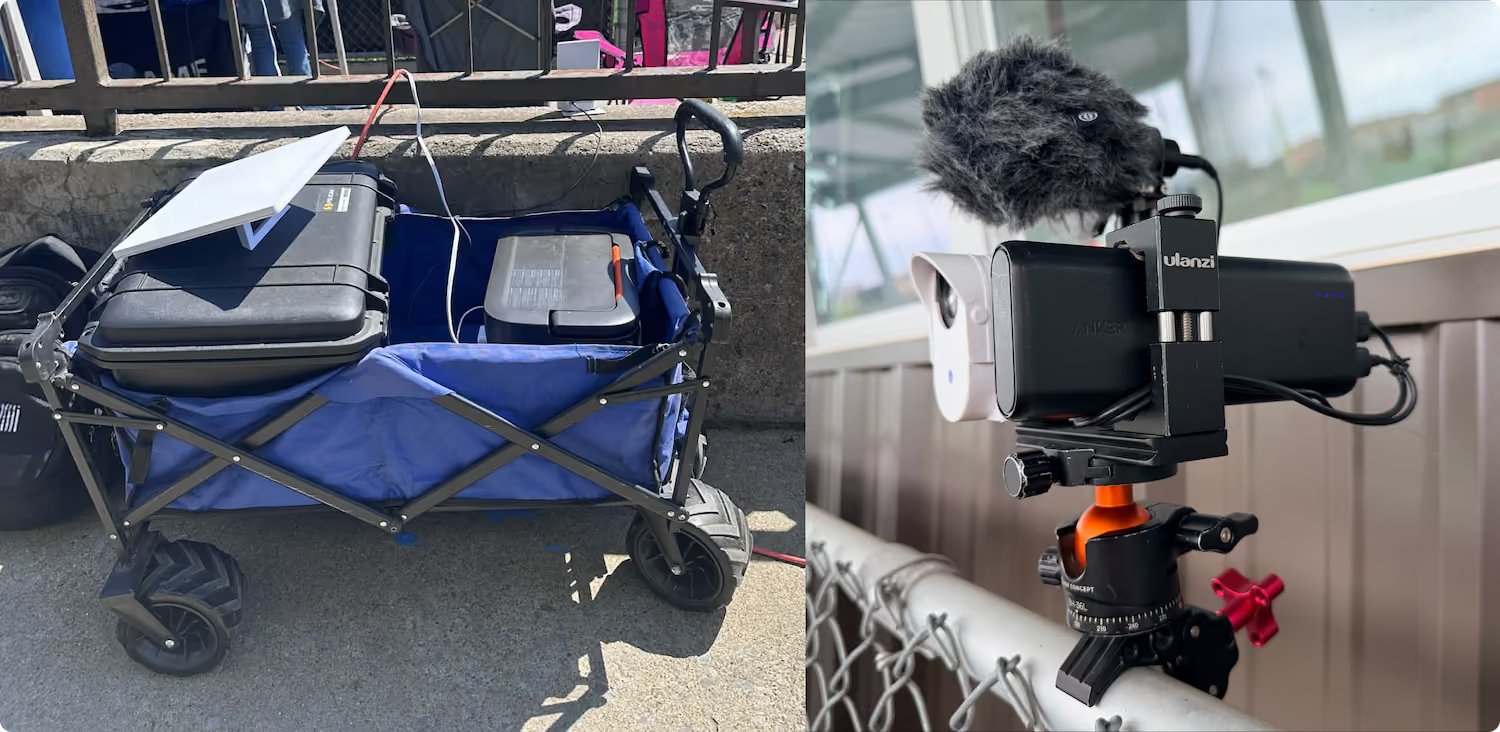
Starting a live stream is simple. All you need is a steady mobile device or compatible camera, like GoPro or Mevo, and a reliable internet connection. Team Staff or confirmed Team Members with streaming permissions granted can then open the GameChanger App, head to the team’s Schedule tab, select the event, and press Record Video.
GameChanger allows team Staff members and anyone with streaming permissions to broadcast games live.Team Staff can also designate certain community members as Videographers by updating Team Permissions from their Team tab.
Any camera you use — your smartphone, fixed cameras, or external cameras — must be able to sync with a reliable internet connection to live stream.
Smartphone: Any iOS or Android device can stream directly through the GameChanger App with just a few taps.Fixed cameras
Fixed cameras: At select fields and facilities, a dedicated camera is already installed and connected to GameChanger. Look for GameChanger signage near the dugout, court wall, or team bench to scan a QR code to get started.External cameras:
External cameras: GameChanger supports a range of external cameras including GoPro, Mevo, etc. Other cameras that use RTMPS live streaming may also be compatible. See Live Streaming from an External Camera for the current list. GameChanger supports a maximum streaming resolution of 1080p for external cameras.
Any confirmed Team Member can score a game with updated scoring and streaming permissions. To score a game, open the GameChanger App, select the game you’d like to score from the team’s Schedule tab, and tap Score Game to set the lineups and begin scoring. You can always practice scorekeeping in the app to get a feel for how to score basic plays before game day.
An Athlete Profile is a shareable link that showcases a player’s stats, video clips, and career highlights across seasons. Profiles are available for baseball, softball, and basketball players and require a Premium subscription.
Athlete Profiles are created automatically but players or Parents or Guardians can customize them by adding a headshot, video clips, and additional teams to build out Career Stats.
Profiles are meant to be shared directly — coaches, family, and friends can view a profile when you send them the link. Learn more about Athlete Profiles.
A FEW WORDS FROM OUR CHEERING SECTION

“The app is definitely the best in its industry.”
“As a father of an 11-year-old playing football, this app has made communication a breeze with our coaches and parents/players!”
“GameChanger is awesome. It combines all of the teams my kids are on and makes it so easy!”
“This is a must-have app for your sports team schedule. I have my baseball team, lacrosse, and basketball in one app.”
The Only App You Need This Season